How to Create a Christmas Playlist
As the holiday season approaches, the air fills with the delightful sounds of Christmas music. Whether you're hosting a festive gathering, decorating your home, or simply enjoying a cozy evening, a well-curated Christmas playlist can set the perfect mood. Let’s dive into how to create a magical Christmas playlist that will fill your home with joy and cheer!

Top Songs for a Festive Atmosphere
Here are some must-have songs to include in your Christmas playlist. These timeless classics and modern favorites will surely bring a smile to your face:
- “Jingle Bells” - Bing Crosby & The Andrews Sisters
- “All I Want for Christmas Is You” - Mariah Carey
- “Last Christmas” - Wham!
- “Feliz Navidad” - José Feliciano
- “It’s Beginning to Look a Lot Like Christmas” - Perry Como
- “Santa Baby” - Eartha Kitt
- “White Christmas” - Bing Crosby
- “Happy Xmas (War Is Over)” - John Lennon & Yoko Ono
- “Have Yourself a Merry Little Christmas” - Frank Sinatra
- “Underneath the Tree” - Kelly Clarkson
Mixing these classics with newer hits will create a diverse and enjoyable listening experience for everyone!
Creating the Perfect Playlist
Here are some tips to help you craft the ultimate Christmas playlist:
- Variety is Key: Include a mix of genres—pop, jazz, classical, and even rock—to keep things interesting.
- Consider the Mood: Tailor your playlist to fit different activities. Have upbeat tracks for parties and softer ones for cozy evenings.
- Keep It Fresh: Update your playlist each year with new songs or versions of classics to keep the tradition alive.
- Duration Matters: Aim for a playlist that lasts a few hours to cover longer gatherings or festive activities.
Creating Playlists on Spotify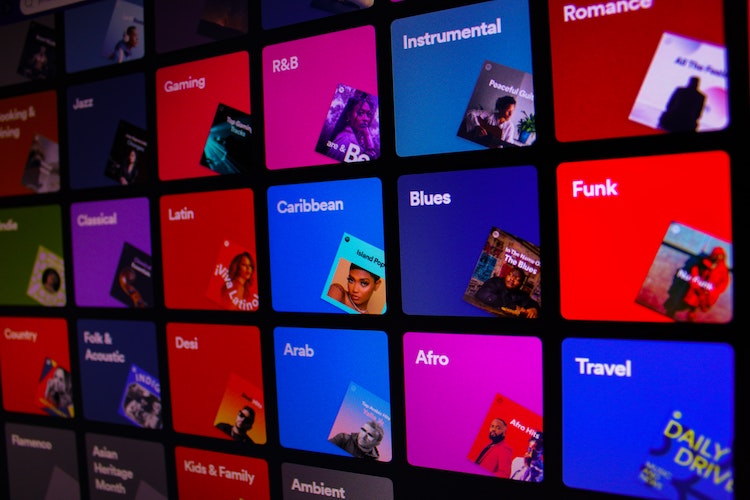
Spotify is an excellent platform for creating and sharing your Christmas playlists. Here’s how to get started:
- Sign Up or Log In: If you don’t already have a Spotify account, sign up for free or log into your existing account.
- Create a New Playlist: Click on "Your Library" in the sidebar, then select "Playlists." Click on "Create Playlist" to start a new one. Give it a festive name like "Christmas Cheer!"
- Add Songs: Search for your favorite Christmas songs using the search bar. Click the three dots next to a song and select "Add to Playlist," then choose your Christmas playlist.
- Rearrange Songs: Once you have added songs, you can drag and drop them to reorder your playlist for the perfect flow.
- Share Your Playlist: Click on the three dots in the playlist options to share it with friends and family via social media or a direct link.
With Spotify, you can also explore pre-made Christmas playlists to get inspiration or discover new favorites!
Creating Playlists on Apple Music
Apple Music is another fantastic option for curating your Christmas playlists. Here’s how to create one:
- Open Apple Music: Launch the Apple Music app on your device and sign in with your Apple ID if prompted.
- Create a New Playlist: Tap on "Library" at the bottom of the screen, then select "Playlists." Tap "New Playlist" to start. Give your playlist a festive title, such as "Holiday Hits."
- Add Songs: Browse through the Apple Music catalog or your own library to find your favorite Christmas songs. Tap the "+" icon next to a song to add it to your playlist.
- Organize Your Playlist: After adding songs, you can rearrange them by tapping "Edit" and dragging songs to your preferred order.
- Share Your Playlist: Tap the three dots in the upper right corner of your playlist and select "Share Playlist" to send it to friends and family via messages or social media.
Apple Music also offers curated playlists for the holidays, which can be a great source of inspiration!
Creating Playlists on YouTube Music
YouTube Music provides a unique platform for creating playlists that include not only songs but also music videos. Here’s how to create a Christmas playlist:
- Open YouTube Music: Go to the YouTube Music website or open the app and sign in with your Google account.
- Create a New Playlist: Click on your profile picture, select "Your Channel," then go to "Playlists." Click "New Playlist" and give it a festive name like "Christmas Vibes."
- Add Songs: Search for Christmas songs or videos. Click the three dots next to a song or video and select "Add to Playlist," then choose your new playlist.
- Rearrange Songs: After adding songs, go to your playlist, click "Edit," and drag the songs to arrange them in the desired order.
- Share Your Playlist: Click on the share icon to send your playlist link via social media or direct messages.
YouTube Music also offers a variety of user-generated playlists that can inspire your own creations!
Comparing Spotify, Apple Music, and YouTube Music Playlists
Key Differences
- User Interface: Spotify features a visually engaging interface with album artwork prominently displayed, Apple Music has a cleaner design, and YouTube Music emphasizes video content and interactive features.
- Library Size: All three platforms boast extensive libraries, but Spotify is known for its user-generated playlists, Apple Music offers exclusive releases, and YouTube Music provides access to a vast collection of music videos.
- Playlist Sharing: All platforms allow easy sharing, but Spotify’s collaborative playlist feature lets friends add songs, while YouTube Music focuses on sharing video content.
- Exclusive Content: Apple Music often features exclusive artist releases and interviews, Spotify excels in personalized playlists like "Discover Weekly," and YouTube Music includes music videos and live performances.
- Platform Compatibility: Spotify is available on a wider range of devices, Apple Music is more integrated with Apple devices, and YouTube Music is accessible on any device with internet access, making it very versatile.
Must-Have Music Products
To enjoy your Christmas playlist to the fullest, consider investing in some quality music products:
Bluetooth Speakers
Enjoy your Christmas tunes with high-quality sound. A portable Bluetooth speaker is perfect for moving from room to room or taking outside for caroling!
Check out this top-rated Bluetooth speaker on Amazon!Music Subscription Services
Stream your favorite holiday songs with a subscription to a music service like Spotify, Apple Music, or YouTube Music. These platforms offer extensive libraries to choose from.
Get a music subscription and access thousands of Christmas songs!Conclusion
Creating a perfect Christmas playlist is all about blending your favorite songs to create a festive atmosphere that brings joy to your home. With these song suggestions, tips for Spotify, Apple Music, and YouTube Music, and the right music products, you’ll be well on your way to celebrating the holiday season in style. So gather your loved ones, press play, and let the Christmas spirit fill the air!
Comments
Post a Comment